
Family Tree Maker 2024 is a genealogy software solution designed to help users build, organize and preserve family history. It provides tools for creating family trees, attaching historical records, working with photographs, synchronizing supported online trees and managing genealogy research.
Whether you are researching your ancestry for the first time or managing years of family records, Family Tree Maker provides a range of tools for organizing and presenting your family history.
Why Choose Family Tree Maker 2024?
Family Tree Maker includes a range of genealogy features intended to help family historians organize and preserve their research.
- Easy family tree creation
- Ancestry synchronization
- TreeVault cloud services
- Photo restoration tools
- Collaboration features
- Mobile access through FTM Connect
- Detailed charts, reports and books
Pros and Cons of Family Tree Maker 2024
Pros
- User-friendly genealogy software
- Syncing with supported Ancestry trees
- TreeVault cloud services
- Chart and reporting tools
- Available for Windows and Mac
- Mobile access through FTM Connect
Cons
- Full functionality may require purchase.
- Some advanced features may require a learning curve.
- Internet connectivity may be required for syncing services.
Comparison Between FTM 2019 and FTM 2024
Users considering an upgrade may want to compare the features available in different Family Tree Maker versions.
| Feature | FTM 2019 | FTM 2024 |
|---|---|---|
| Turn Back Time | Yes | Enhanced change history |
| TreeVault Services | Yes | Improved services |
| FTM Connect | Basic | FTM Connect 2.0 |
| Photo Darkroom | Standard | Advanced tools |
| Connect Workspace | Limited | Expanded features |
| Accessibility | Basic | Easy on the Eyes |
What's New in Family Tree Maker 2024?
Family Tree Maker 2024 includes a number of features focused on genealogy organization, collaboration, accessibility and family history preservation.
1. Turn Back Time 5000
Turn Back Time allows users to review previous changes to a family tree and restore earlier versions when appropriate. The change history can help users recover from accidental changes and review modifications made to their genealogy data.

2. Connect Workspace
Connect Workspace is designed to help users collaborate with relatives when researching and reviewing family history information.
Supported mobile access can allow invited relatives to view family tree information and contribute information that can be reviewed by the tree owner.

3. FTM Connect 2.0
FTM Connect provides mobile access to family tree information through supported mobile devices.
Depending on the available features and account configuration, users can share family tree information with invited relatives.

4. Easy on the Eyes
The Easy on the Eyes feature is intended to make areas of the People workspace easier to view by increasing the size of information displayed on screen.

5. New Photo Darkroom Tools
Family Tree Maker includes Photo Darkroom tools intended to help users work with old family photographs.
Depending on the available tools, users can work with photographs by cropping and making various adjustments while retaining an original copy.

6. AlbumWALK
AlbumWALK is described as a mobile application designed around preserving memories with photographs and recorded stories.
7. Co-Pilot 2024
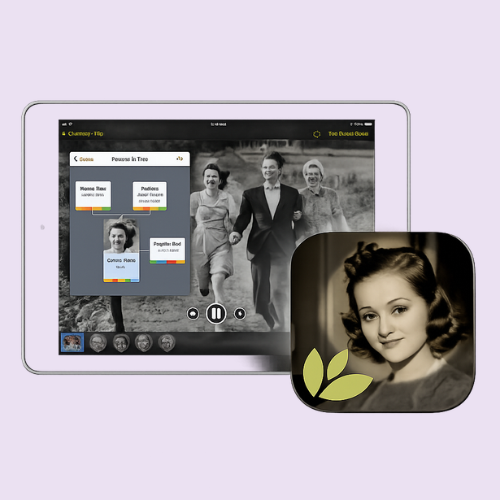
The Co-Pilot concept is intended to help users get started with Family Tree Maker and understand the software ecosystem.

Family Tree Maker Top Features
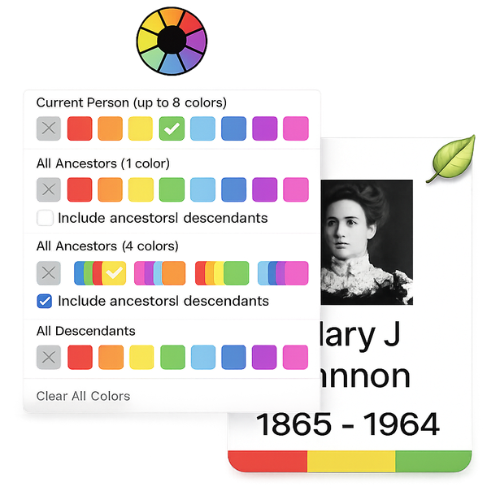
1. Rich Color Coding
Rich color coding can help genealogists visually organize family relationships and generations.
2. TreeVault Cloud Services
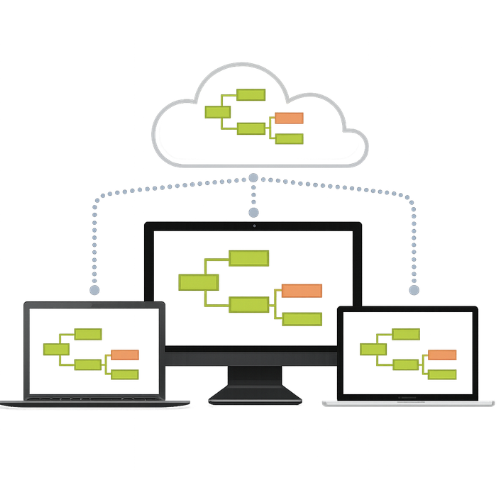
TreeVault services extend Family Tree Maker with supported cloud-based services intended to help users access and protect their family tree information.

3. Sync With An Online Ancestry Tree
Supported Family Tree Maker versions provide synchronization capabilities with Ancestry trees. Synchronization can help users maintain information between supported desktop and online trees.
4. FamilySearch Records
Family Tree Maker can provide access to supported FamilySearch records and hints, giving genealogists additional sources for family history research.

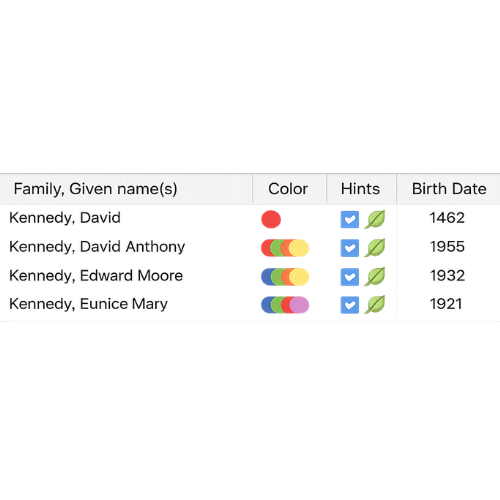
5. Hints Made Easy To See
Hints can help researchers discover potentially useful records and information related to people in a family tree.
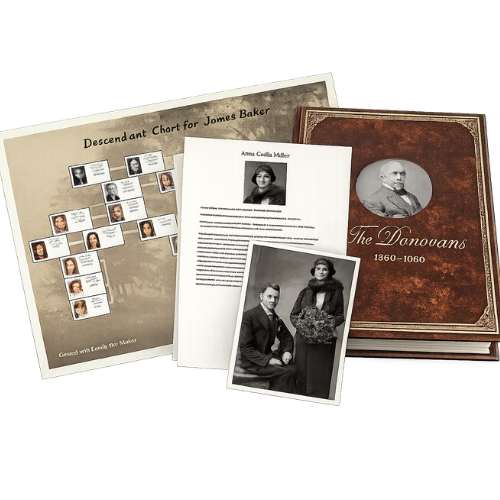
6. Charts, Reports and Books
Family Tree Maker provides various charting and reporting options that can be used to present genealogy research.
Why Do You Need Family Tree Maker Support?
Genealogy software can contain important family history information. Installation problems, synchronization errors, data migration issues and software updates can interrupt access to that information.
Technical assistance can help users understand the problem, identify possible causes and work through appropriate troubleshooting steps.
If you need assistance with installation, data migration, software updates, synchronization or other supported technical problems, contact our support team.
Who Provides Family Tree Support?
Software MacKiev provides official Family Tree Maker support resources for its products. Users may also seek assistance from independent third-party technical support providers for personalized troubleshooting and technical guidance.
How To Download Family Tree Maker 2024
- Visit the appropriate official Family Tree Maker source.
- Select the supported Mac or Windows version.
- Sign in or purchase the software if required.
- Download the setup file.
- Open the installer and follow the instructions.
- Enter activation information if required.
- Complete the installation and launch the software.
Need Help With Family Tree Maker 2024?
If you're experiencing installation, update, synchronization or configuration problems, contact our independent support team.
Get Live Support
Frequently Asked Questions
Can you merge family trees on Family Tree Maker?
Family Tree Maker supports importing and working with genealogy information in supported file formats. Specific merge options depend on the files and versions involved.
How much does Family Tree Maker software cost?
Pricing can vary by version, promotion and purchase option. Check the current official Family Tree Maker source for current pricing.
Is Family Tree Maker compatible with Mac?
Family Tree Maker is available for supported Mac and Windows environments. Compatibility depends on the specific version and operating system.
What happens if I cancel my Ancestry subscription?
The effect can depend on the specific Ancestry account, tree and services being used. Review the current Ancestry terms and support information for account-specific details.
Where can I download Family Tree Maker?
Use the official Family Tree Maker source for downloads and software installers.
Does Family Tree Maker work with Ancestry?
Supported versions of Family Tree Maker provide synchronization functionality with Ancestry trees.
Can I share my family tree?
Sharing options depend on the Family Tree Maker version, connected services and account configuration.
Can I upgrade from an older version?
Upgrade availability and pricing depend on the current software offering. Check the official source for current upgrade options.
How do I contact Family Tree Maker support?
For independent technical assistance, visit our Live Support page and submit your support request.
How do I restore a backup in Family Tree Maker?
Backup restoration depends on the type of backup and Family Tree Maker version. We can provide guidance for supported restoration procedures.
Final Thoughts
Family Tree Maker provides a collection of tools for building, organizing and preserving family history. Features such as genealogy charts, reports, photographs, synchronization and supported cloud services can help researchers manage their family history information.
Whether you are starting your first family tree or managing years of genealogy research, understanding the available software features can make your research workflow easier.